
Google Nano Banana 2.1 AI Image Generator
Nano Banana 2.1 upgrades prompt understanding plus typography, style, and composition control. Try text-to-image and image-to-image in one workspace.
New accounts start with trial credits — compare packs on View pricing
Nano Banana 2.1 examples
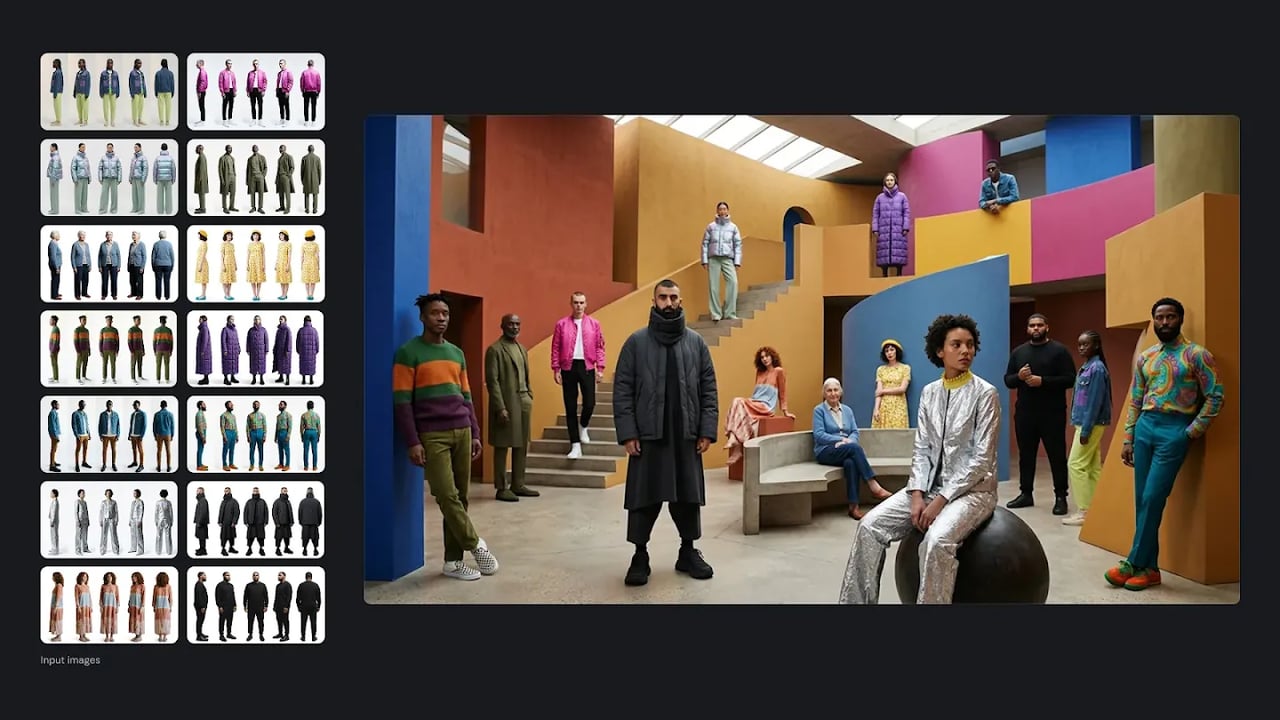
Why creators pick Nano Banana 2.1
A fast Gemini image model with sharper detail, flexible aspect ratios, and up to 4K output — text-to-image and image-to-image in one workspace.
Enhanced prompt understanding
Complex scenes, lighting, style, and composition cues stay closer to your instructions — fewer surprises when you revise.
Readable typography
Logos, posters, and multilingual copy render clearly — including Chinese characters — without endless text retries.
Native 2K with 4K upscaling
Pick 1K, 2K, or 4K output — higher resolutions cost more credits and take longer for print, ads, and hero assets without losing edge detail.
How to Use Nano Banana 2.1 Free
Step 1
Choose Nano Banana 2.1
Choose the Nano Banana 2.1 model in the generator and pick text-to-image or image-to-image.
Step 2
Write your prompt
Write your prompt — include typography, style, or detailed scene requirements for best results.
Step 3
Create
Click Create and watch your high-fidelity image appear in seconds.
Explore More AI Image Models
General image workflows and other flagship models — same account, same credits.
Frequently asked questions
Try Nano Banana 2.1
Head back to the generator and create your first image.